Pratik Singh
All work
Website Builder / SaaS

Orqestra

Design. Assemble. Launch.

Next.js (App Router)TypeScriptMaterial UIZustandFramer Motiondnd-kit
Industry
Website Builder / SaaS
Tech stack
6 tools
Screens
28 shown

Project brief

The product bet, stated plainly.

Turned theme tokens, structured sections, page ordering, and responsive preview into a coherent site-builder loop.

Hiring signal

Senior ownership across product framing, execution scope, and shipped interface quality.

Engineering read

Focus on constraints, architecture bets, external systems, and data-flow decisions.

Role
Frontend architecture, builder UX, design-token system, and preview workflow implementation
Scope
Theme editor, section schemas, page builder, responsive preview, versioning, and login experience
Core constraint
The builder needed flexibility without letting arbitrary configuration break preview fidelity.
Technical bet
A schema-first section model would make global theme propagation and reliable preview possible.
Drag to scrub
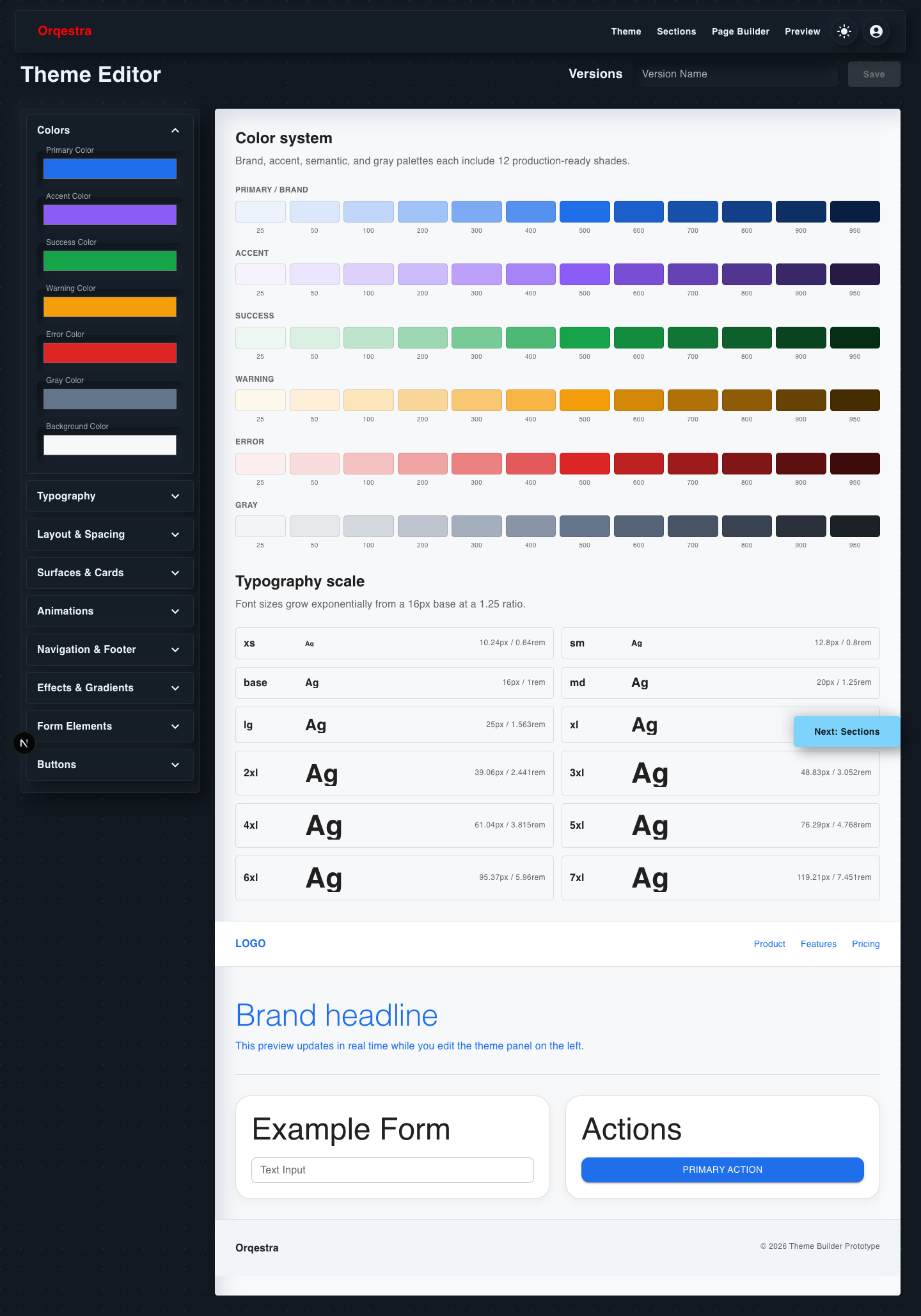
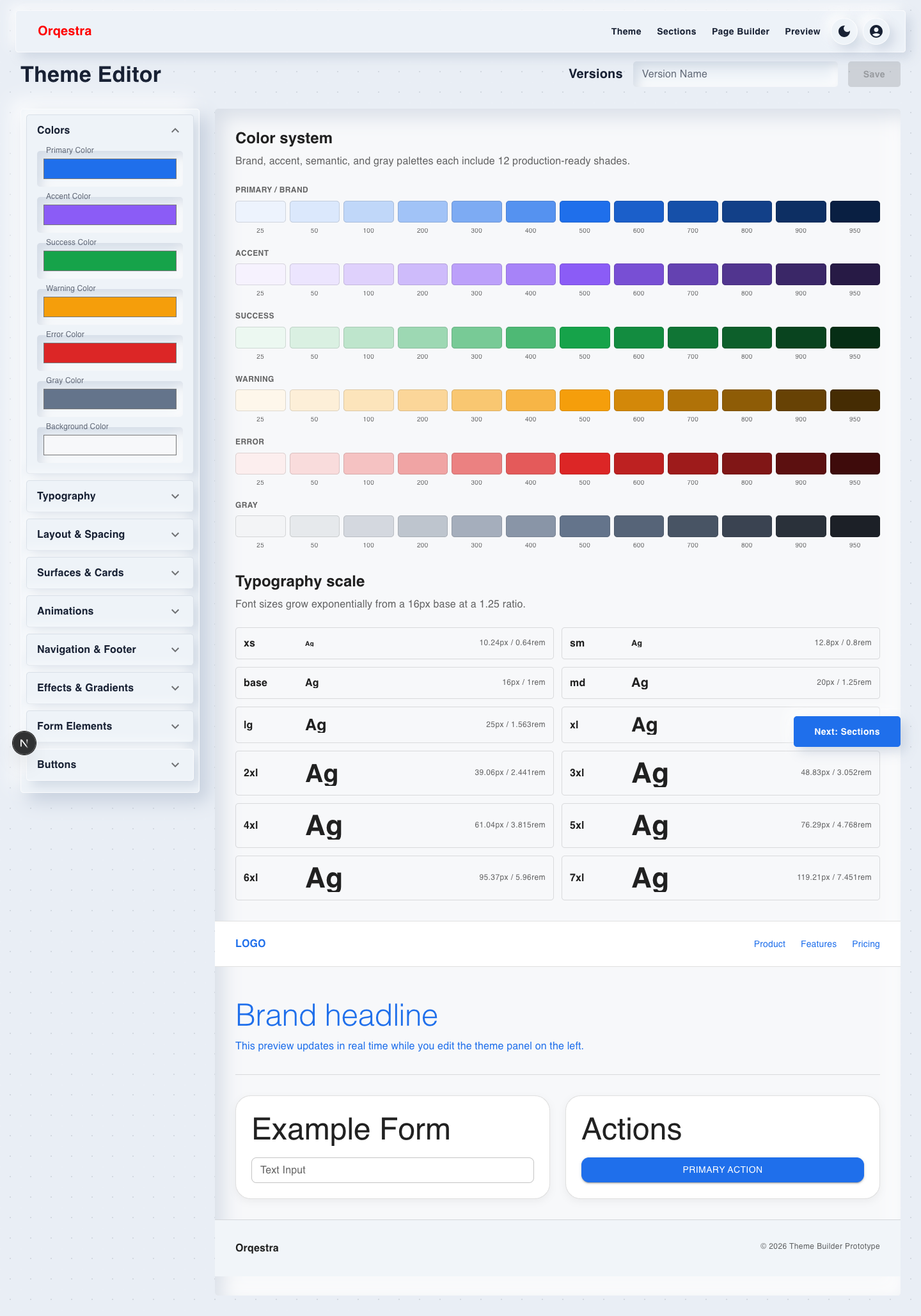
Orqestra Theme Editor in light mode showing color palettes and exponential typography scale
Theme editor — light mode
Page builder reorder interaction
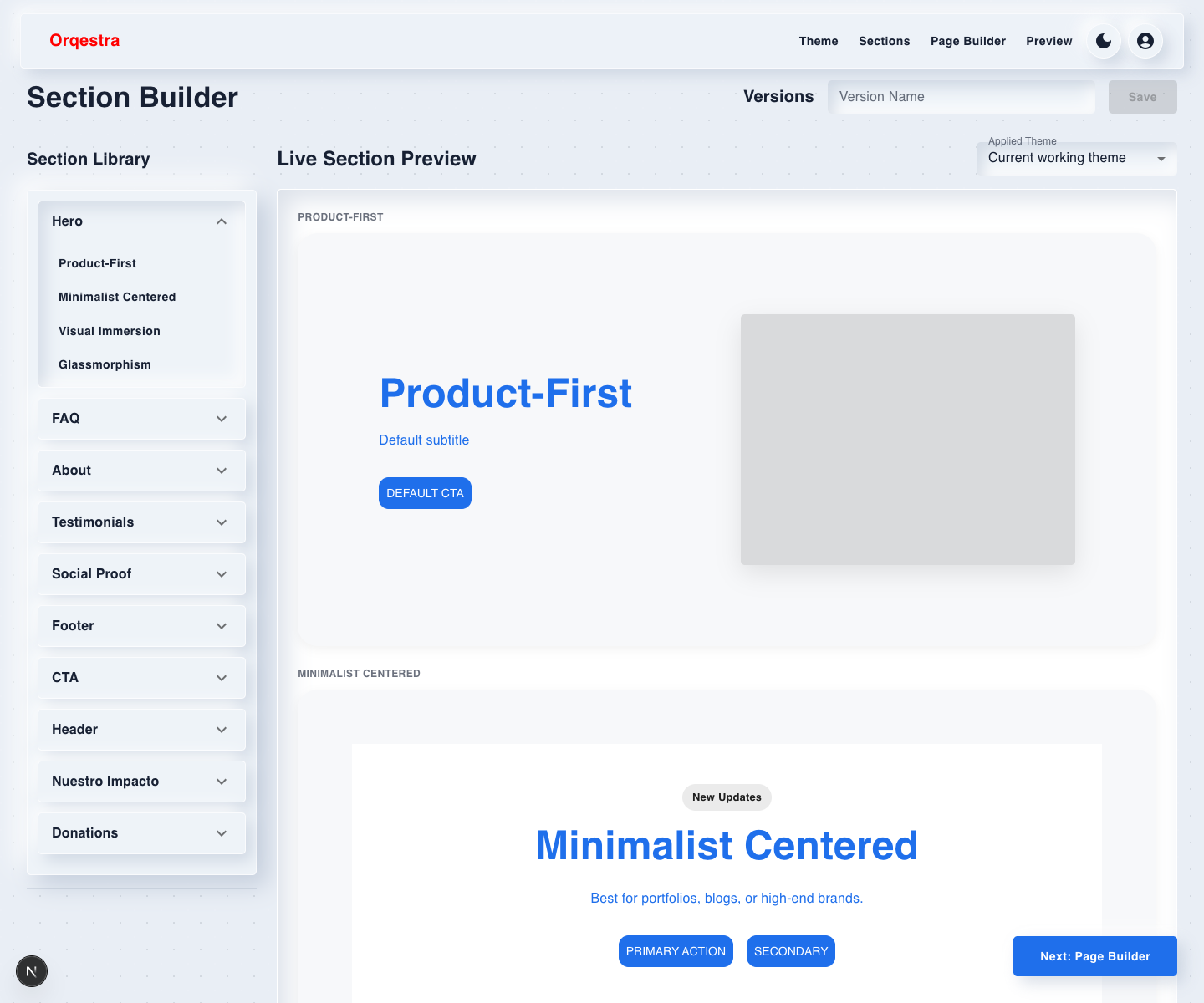
Orqestra Section Builder Hero accordion open in light mode
Sections / Hero — light mode
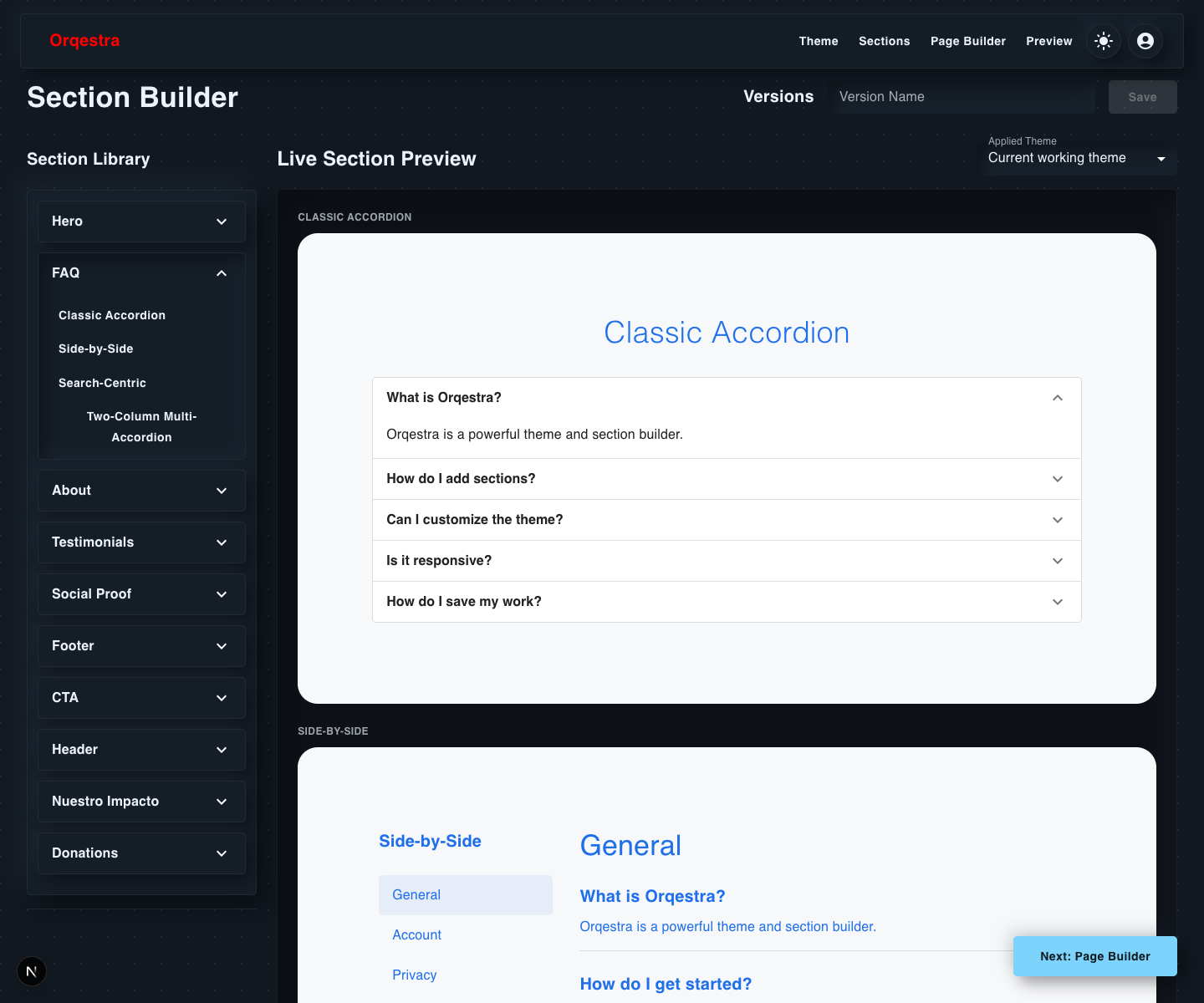
Orqestra Section Builder FAQ accordion open in dark mode with first preview FAQ expanded
Sections / FAQ — dark mode
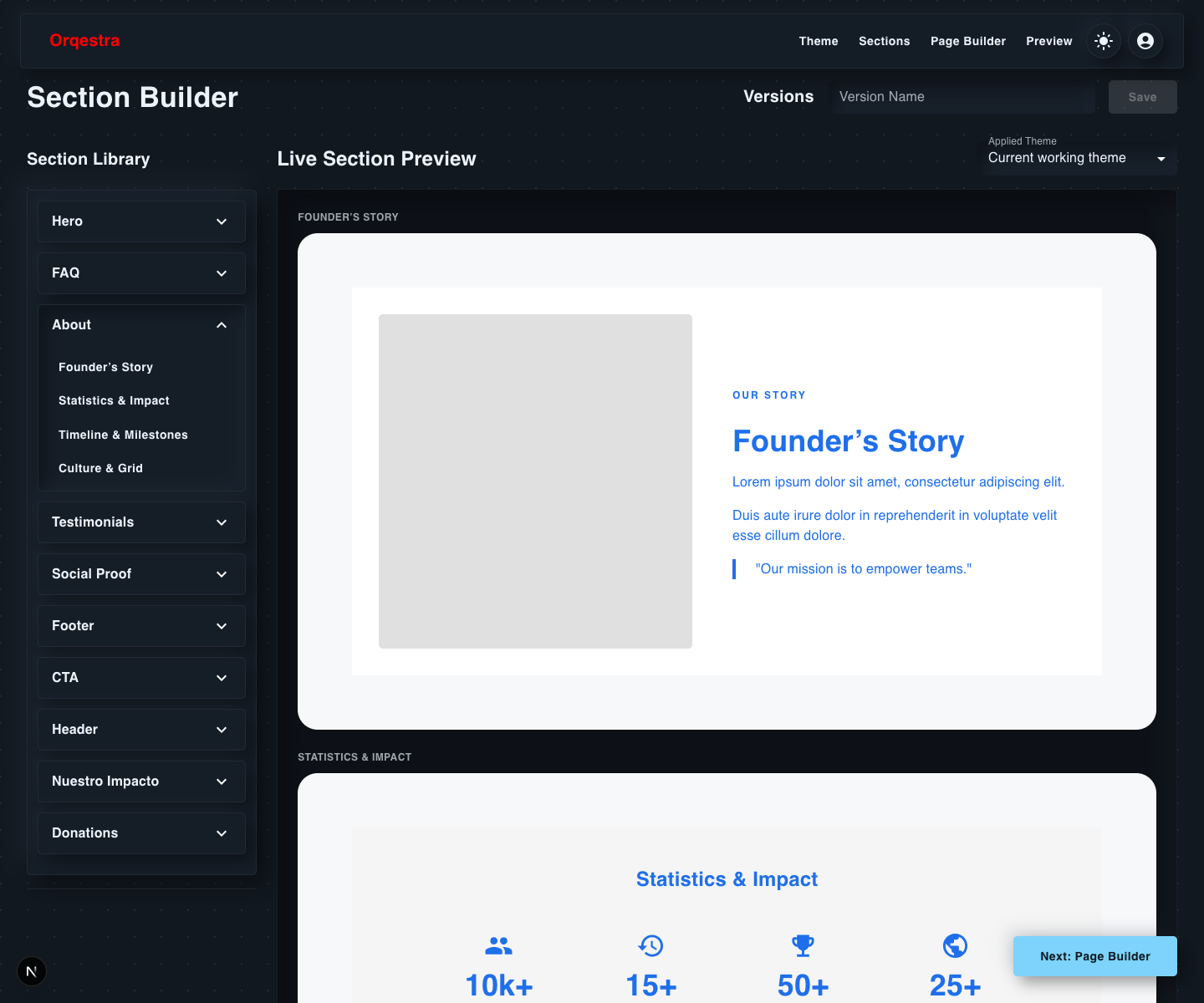
Orqestra Section Builder About accordion open in dark mode
Sections / About — dark mode
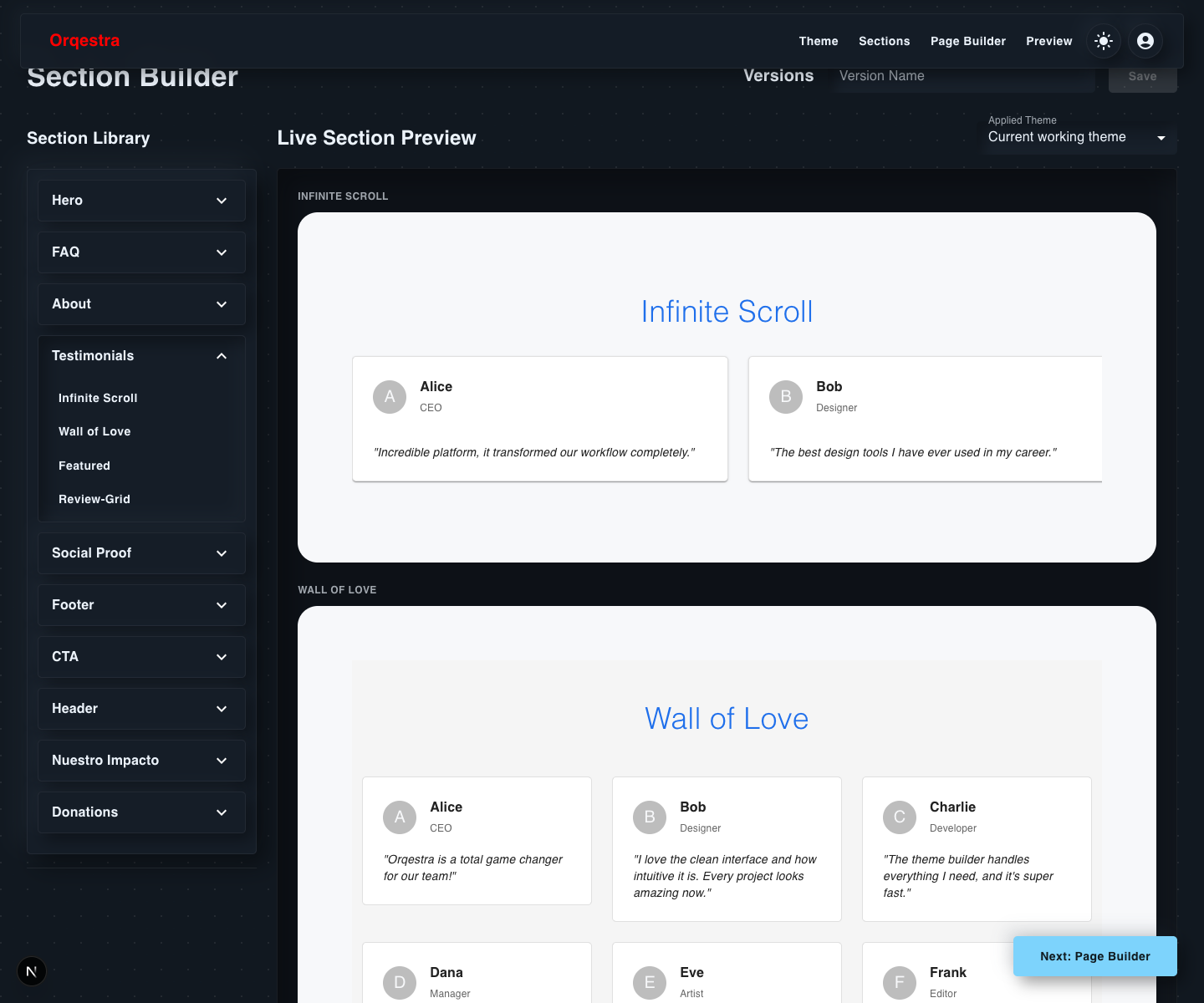
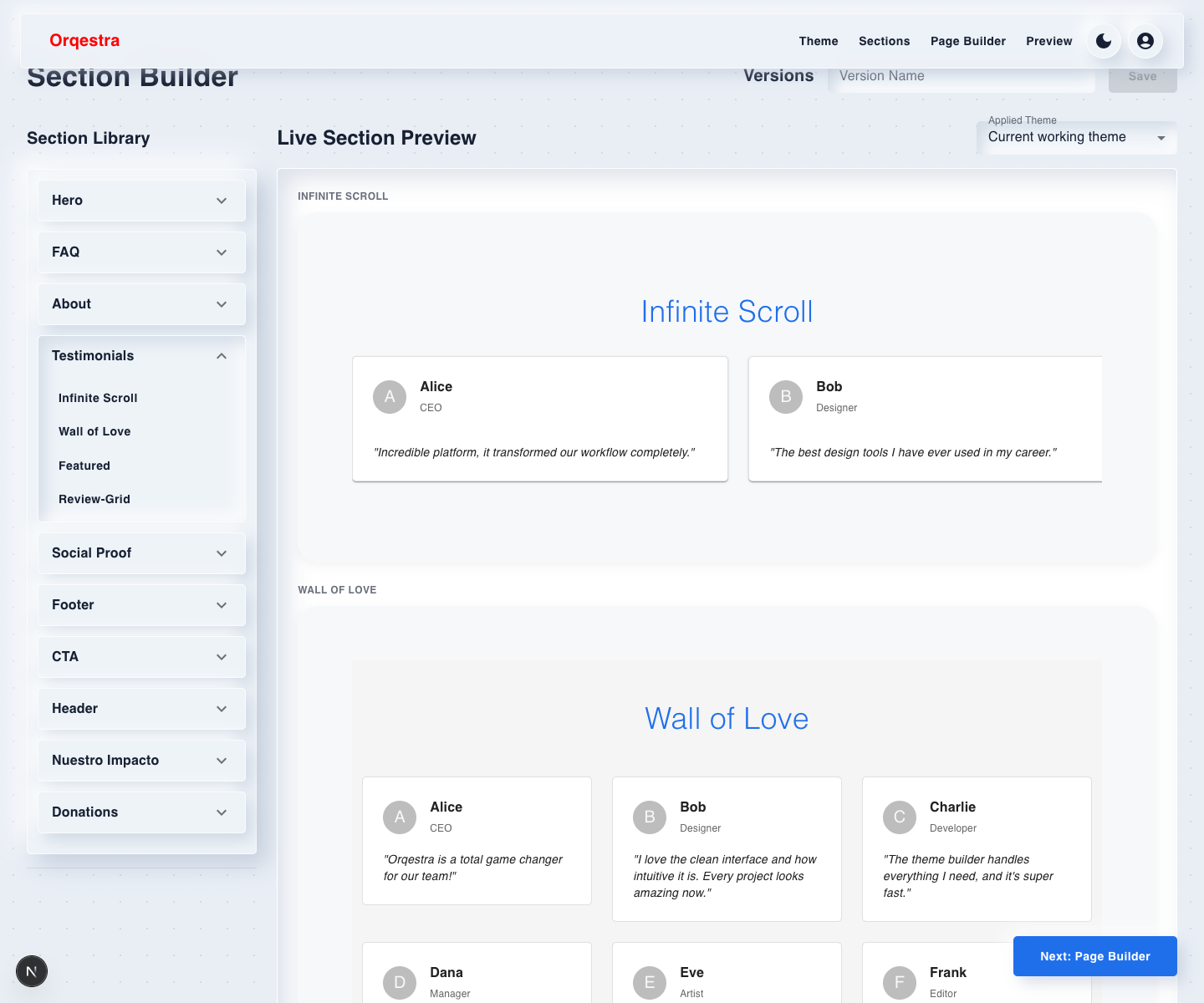
Orqestra Section Builder Testimonials accordion open in dark mode
Sections / Testimonials — dark mode
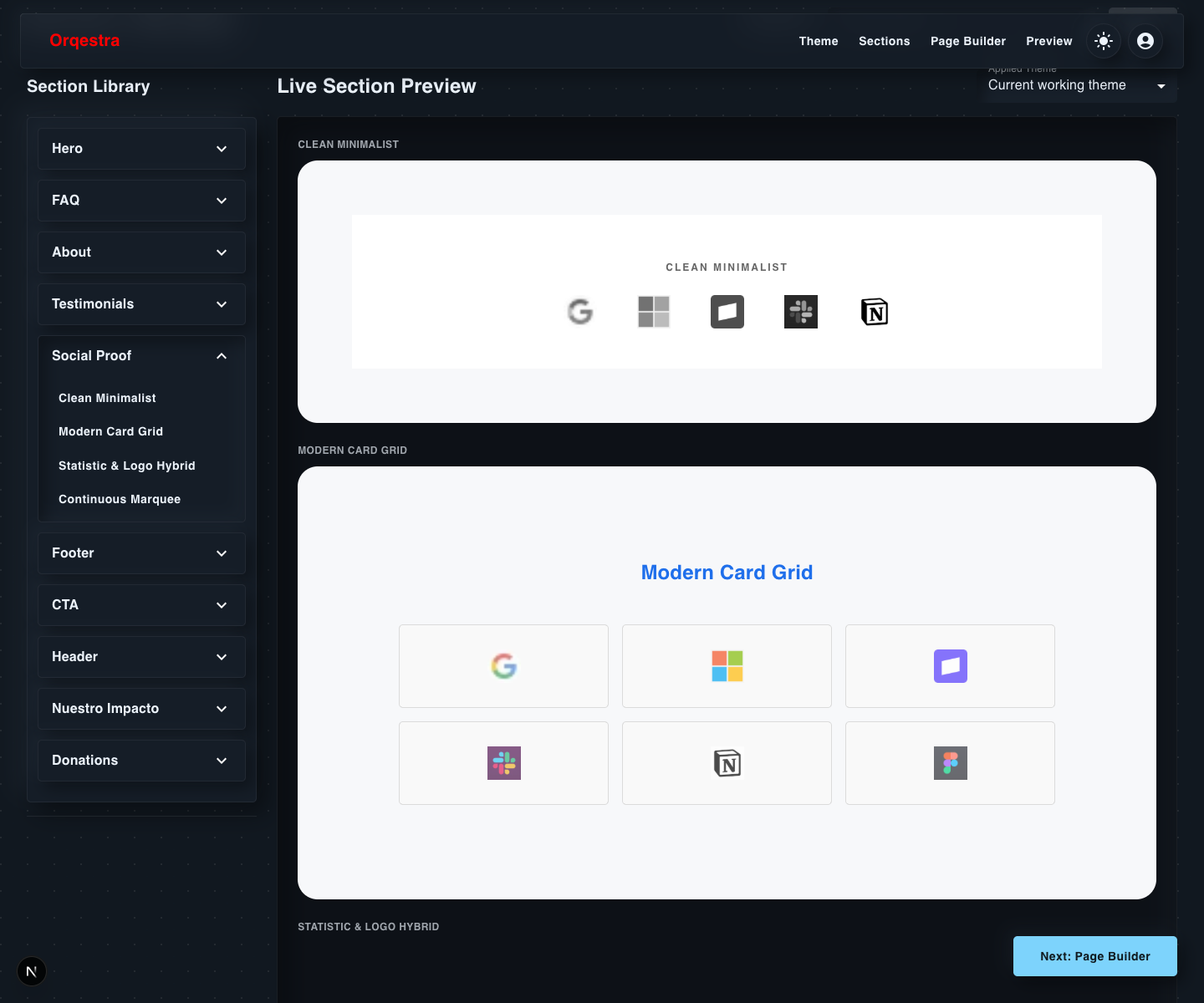
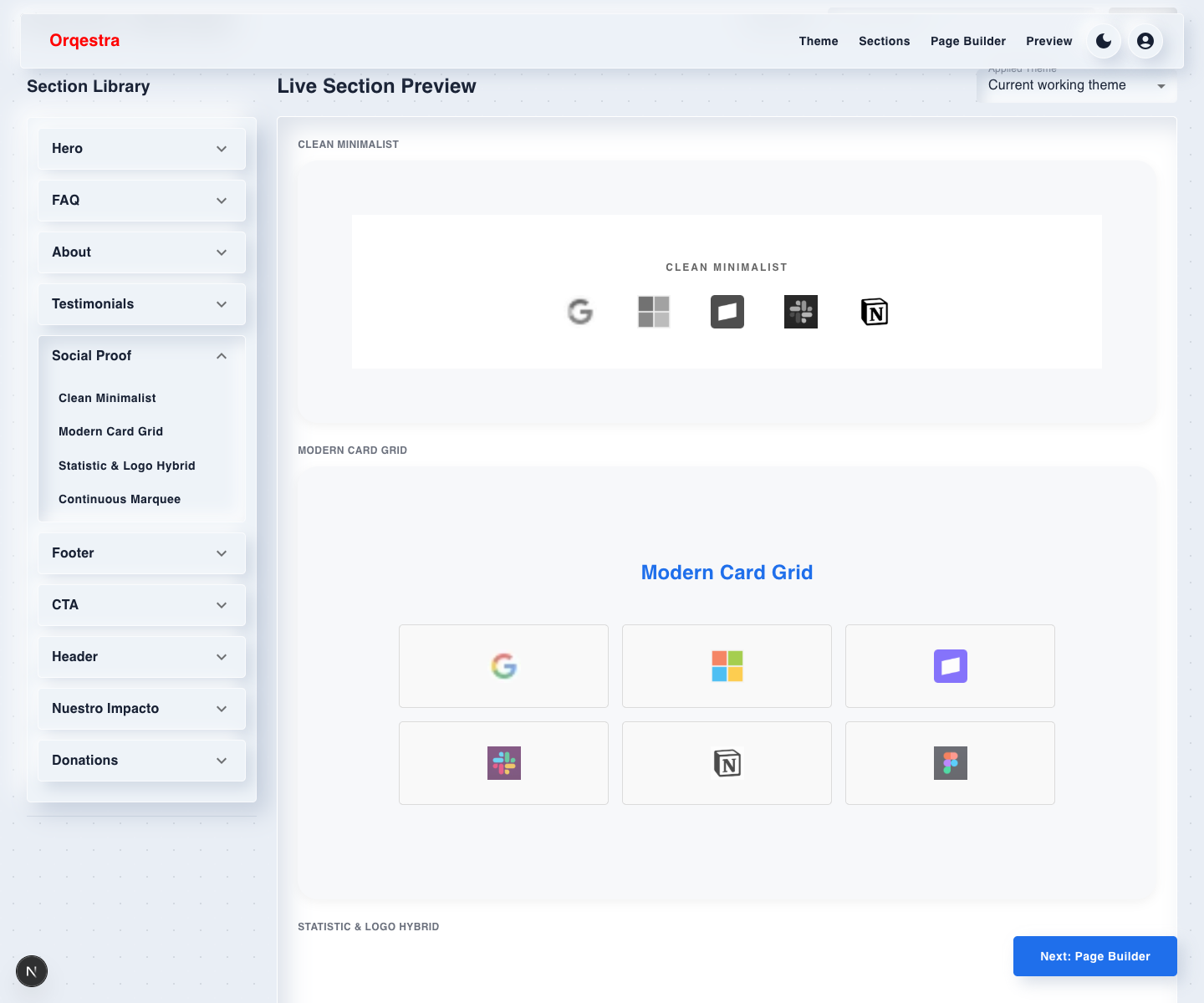
Orqestra Section Builder Social Proof accordion open in dark mode
Sections / Social Proof — dark mode
Orqestra Theme Editor in dark mode showing color palettes and exponential typography scale
Theme editor — dark mode
Animated login — light mode
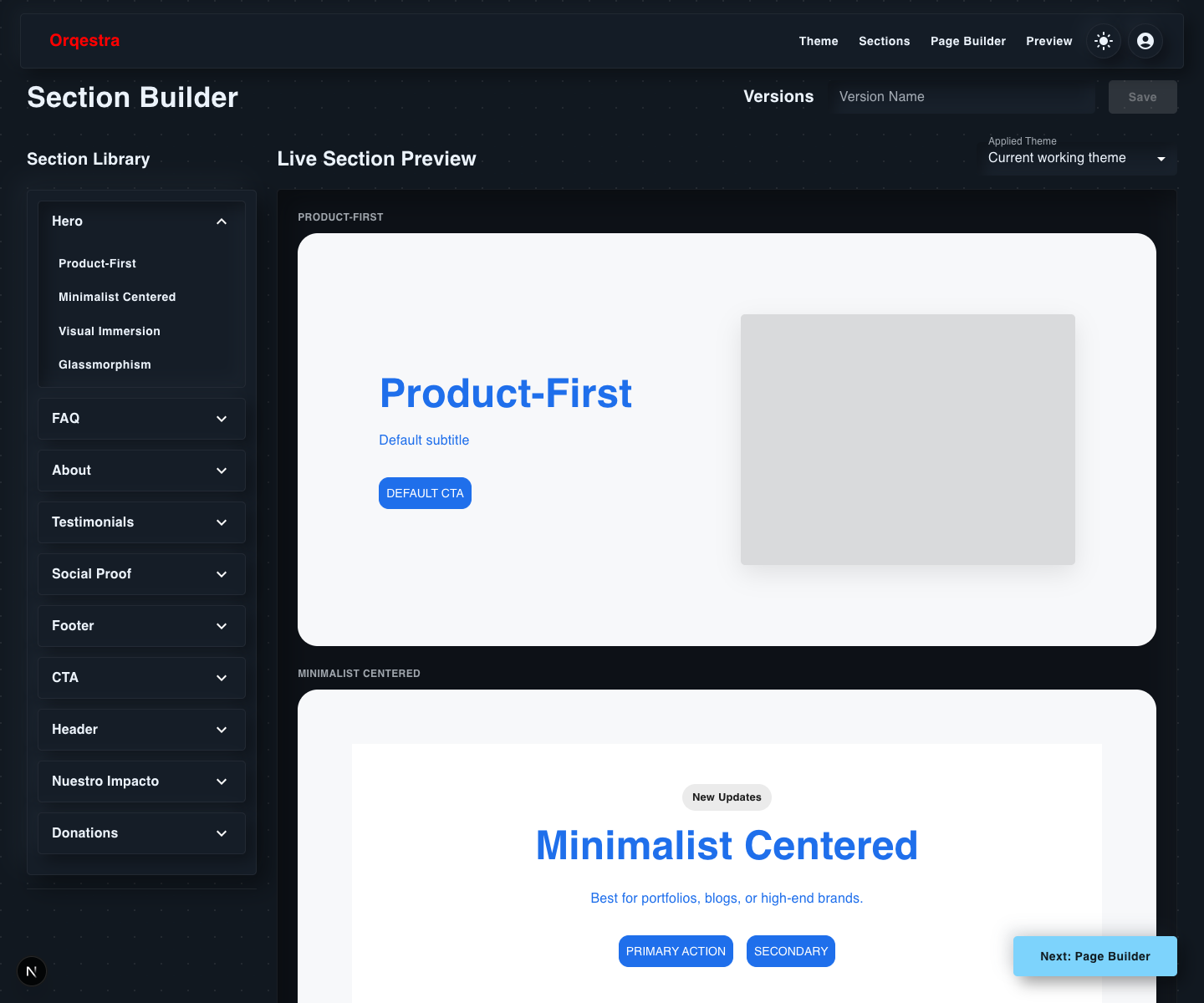
Orqestra Section Builder Hero accordion open in dark mode
Sections / Hero — dark mode
Preview responsive mode walkthrough
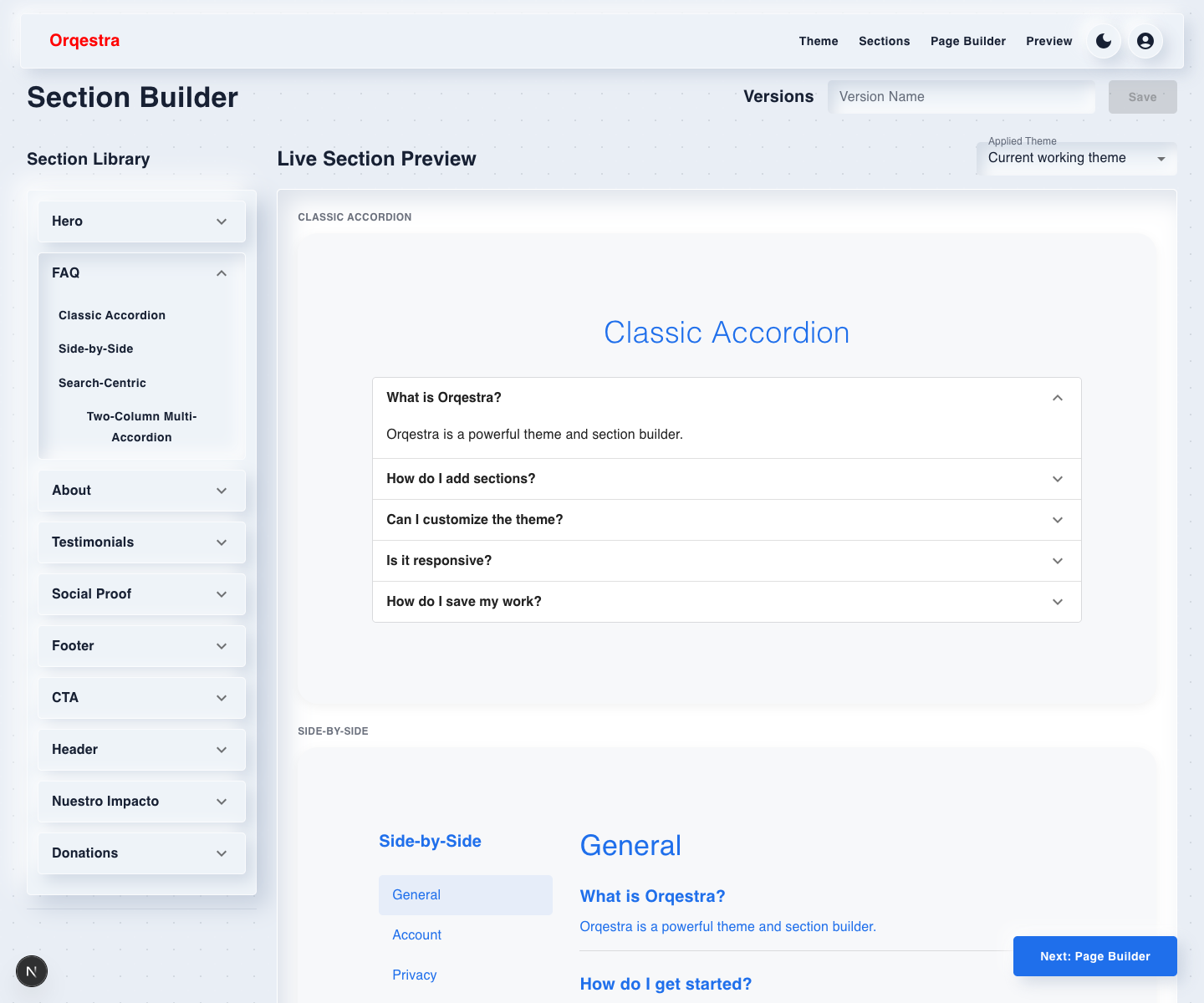
Orqestra Section Builder FAQ accordion open in light mode with first preview FAQ expanded
Sections / FAQ — light mode
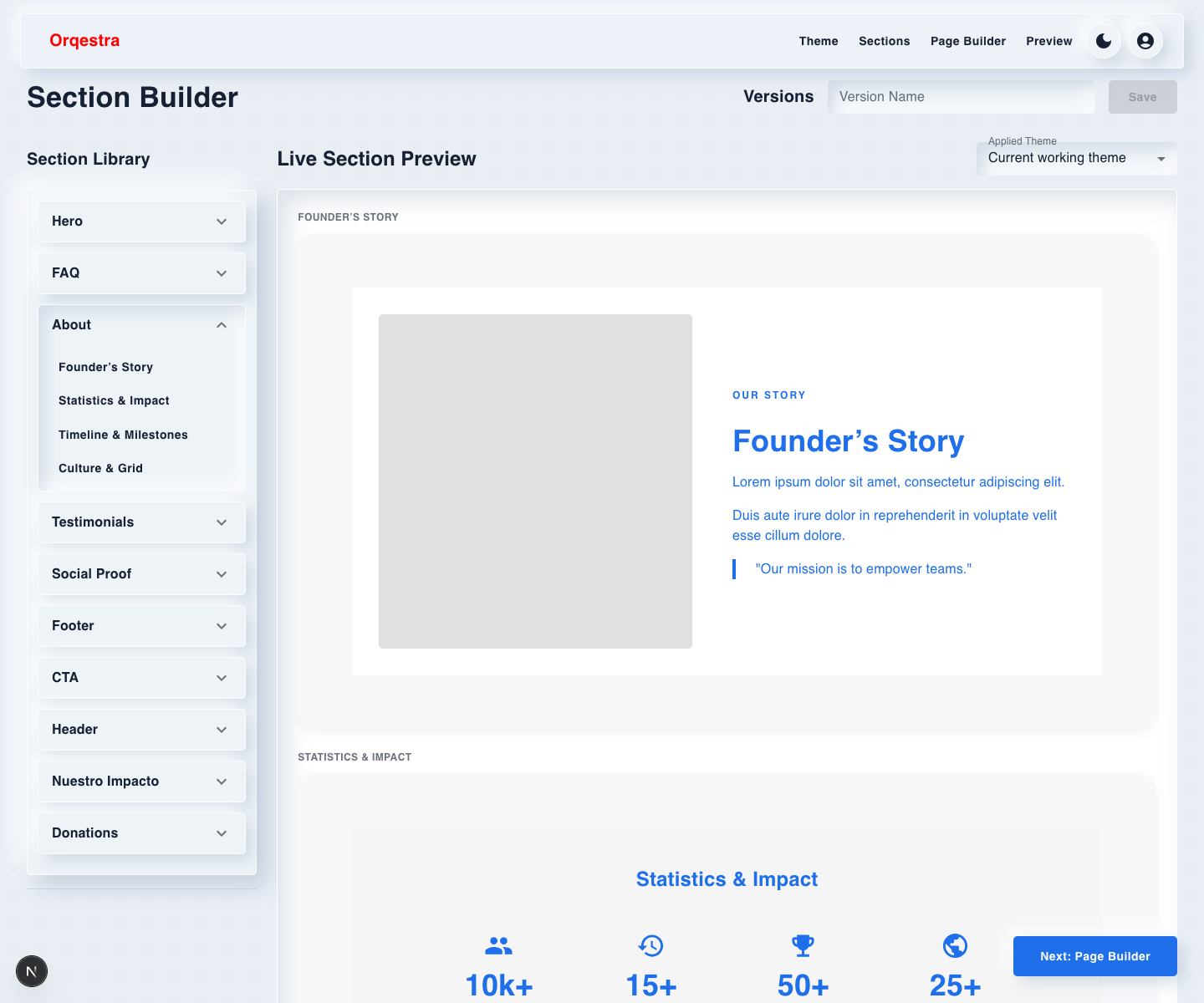
Orqestra Section Builder About accordion open in light mode
Sections / About — light mode
Orqestra Section Builder Testimonials accordion open in light mode
Sections / Testimonials — light mode
Orqestra Section Builder Social Proof accordion open in light mode
Sections / Social Proof — light mode

Overview

A schema-driven website builder. Set a theme once, drop in structured sections — hero, FAQ, testimonials, CTA — drag them into order, and preview exactly what ships across desktop, tablet, and mobile.

Problem

Most no-code builders either expose raw config you have to guess at, or lock you into a rigid template with no real device preview — so what you build rarely matches what ships.

Approach

Every section type — hero, FAQ, about, testimonials, social proof, CTA, header, footer — has its own fixed, editable schema rather than a freeform block. That constraint is what makes the live theme editor possible: since every field is known ahead of time, a single primary color, font, or type-scale change can apply correctly across every section at once.

Project method

Detailed process

Requirements

The builder needed to let a user assemble a real multi-section site without hand-editing JSON or guessing what would happen at publish time. Requirements centered on editable theme tokens, reusable section schemas, ordered pages, version history, and a preview that matched desktop, tablet, and mobile output.

Stack choices

Next.js App Router was selected for route-based editing and preview pages. Material UI accelerated the admin-style controls, Zustand kept builder state simple and inspectable, dnd-kit handled reorder interactions, and Framer Motion gave section animation choices a controlled implementation path.

Design system

The design system was schema-first: theme fields such as primary color, background, font family, type scale, radius, spacing, shadow, border thickness, animation duration, easing, nav height, and glassmorphism were centralized in ThemeConfig. Section variants then consumed those tokens instead of each block inventing its own styling rules.

MVP definition

The MVP was a local-storage-backed builder with three durable stages: theme, sections, and page_builder. Supabase was planned behind an isolated storage API, but local persistence was enough to validate the editing model, versioning, and preview flow first.

Progression

Work progressed from token editing to section schemas, then to page assembly and preview. Once each section type had known fields and display options, drag-and-drop ordering and version history became straightforward because the app was always moving structured configuration rather than arbitrary markup.
Conclusion

Solution

Sections are dragged into order with dnd-kit across as many pages as needed, animation is picked from a controlled menu and run through Framer Motion, and a dedicated preview route renders desktop, tablet, and mobile without guessing at breakpoints. Theme, sections, and layout are each independently versioned, so any earlier state is one click away.

Proof list

Highlights

04 signals
  • 01Schema-driven sections — no raw JSON hand-editing required
  • 02Instant, global theme propagation across every section on change
  • 03Independent version history for theme, sections, and page layout
  • 04Real desktop / tablet / mobile preview route, not simulated breakpoints

Product screenshots

Open channel

Need a sharper frontend path?

Architecture, AI workflows, design systems, and interfaces that need to hold up after launch.